Hold My Beer — I Vibe-Coded a Piano Game for My Daughter
It started, as most things do, with a post on X.
@RG_Leachman shared how they vibe-coded a piano learning app for their daughter. Cute. Wholesome. The kind of post that makes you smile and keep scrolling.
Except I didn’t keep scrolling. Because my daughter is also learning piano. And my brain did that thing it does – the thing where a reasonable person would think “oh, that’s nice” and move on, but instead I thought:
“Hold my beer.”
How Hard Can It Be?
Famous last words, right? But honestly – how hard can it be?
I looked at my daughter’s Casio AP-450. It’s a 10-year-old digital piano that’s been sitting in the living room, faithfully enduring beginner-level renditions of “Hot Cross Buns” for months. Then I looked at the USB cable connected to my printer. Then back at the piano. Then at the USB port on the back of the Casio.
One unplugged printer later, the piano was connected to my laptop.
Claude Code + One Good Prompt
I fired up Claude Code, wrote a prompt describing what I wanted – a falling-note piano game that works with a MIDI keyboard in the browser – and waited.
A few minutes later, I had a working web page. A full piano game. Notes falling down the screen, a keyboard visualization at the bottom, MIDI input working out of the box. Score tracking, streaks, the works.
I sat there staring at it like someone who just accidentally built furniture correctly on the first try.
My Daughter, the Product Manager
Here’s where it gets fun. My daughter sat down, started playing, and immediately had opinions. Strong opinions.
“Can it have a beat? Like drums?” – So we added a metronome/beat toggle.
“The long notes disappear too fast!” – She was right. When you pressed and held a key, the note would vanish immediately. We fixed it so sustained notes stay visible for their full duration.
“Why are the notes overlapping?” – Some visual elements were stacking on top of each other. Turns out, I had no idea you’re not supposed to hit two notes at the exact same time in certain passages. My daughter, the six-year-old, knew this. I did not.
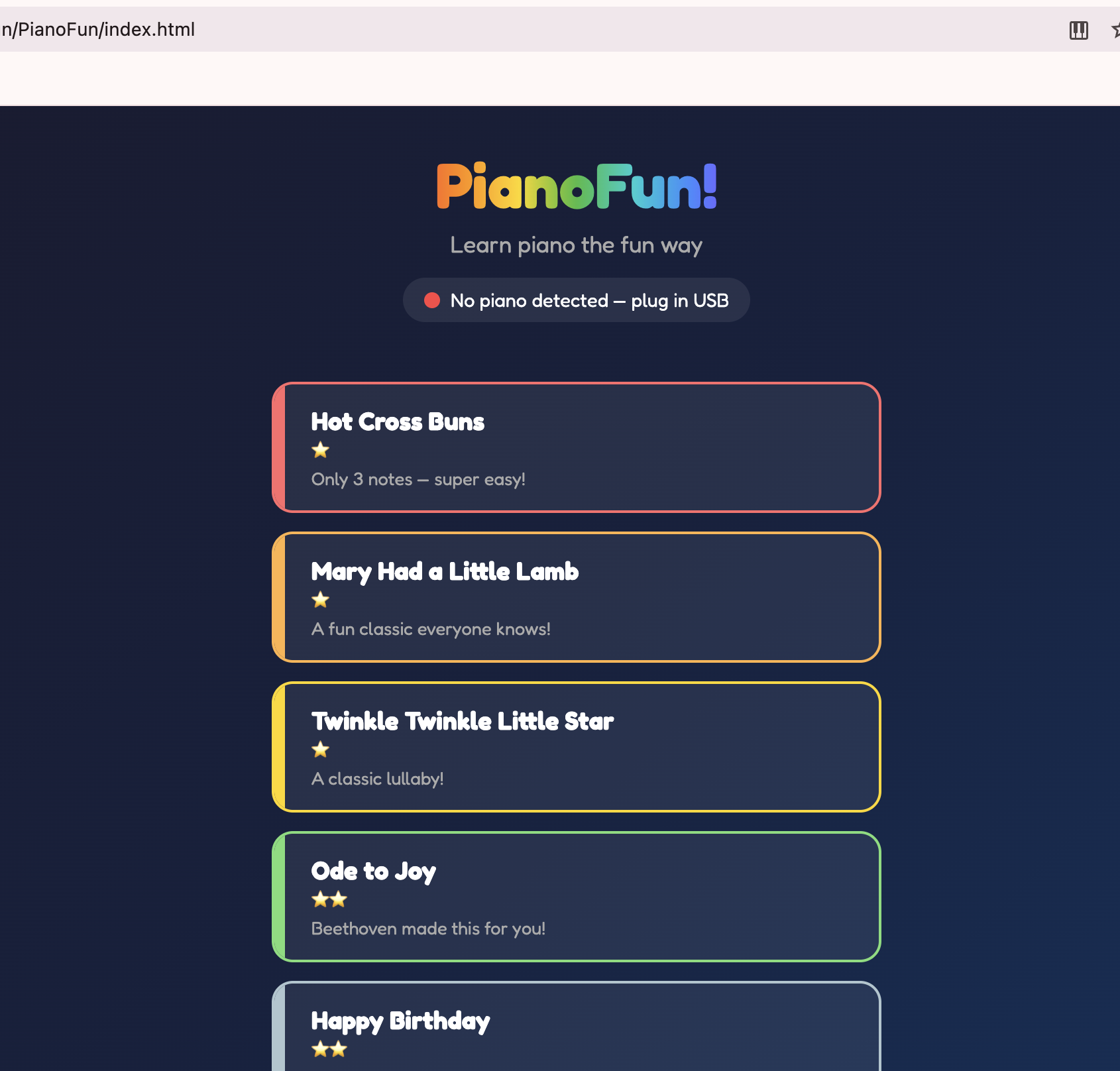 The home screen with a growing library of songs, color-coded by difficulty
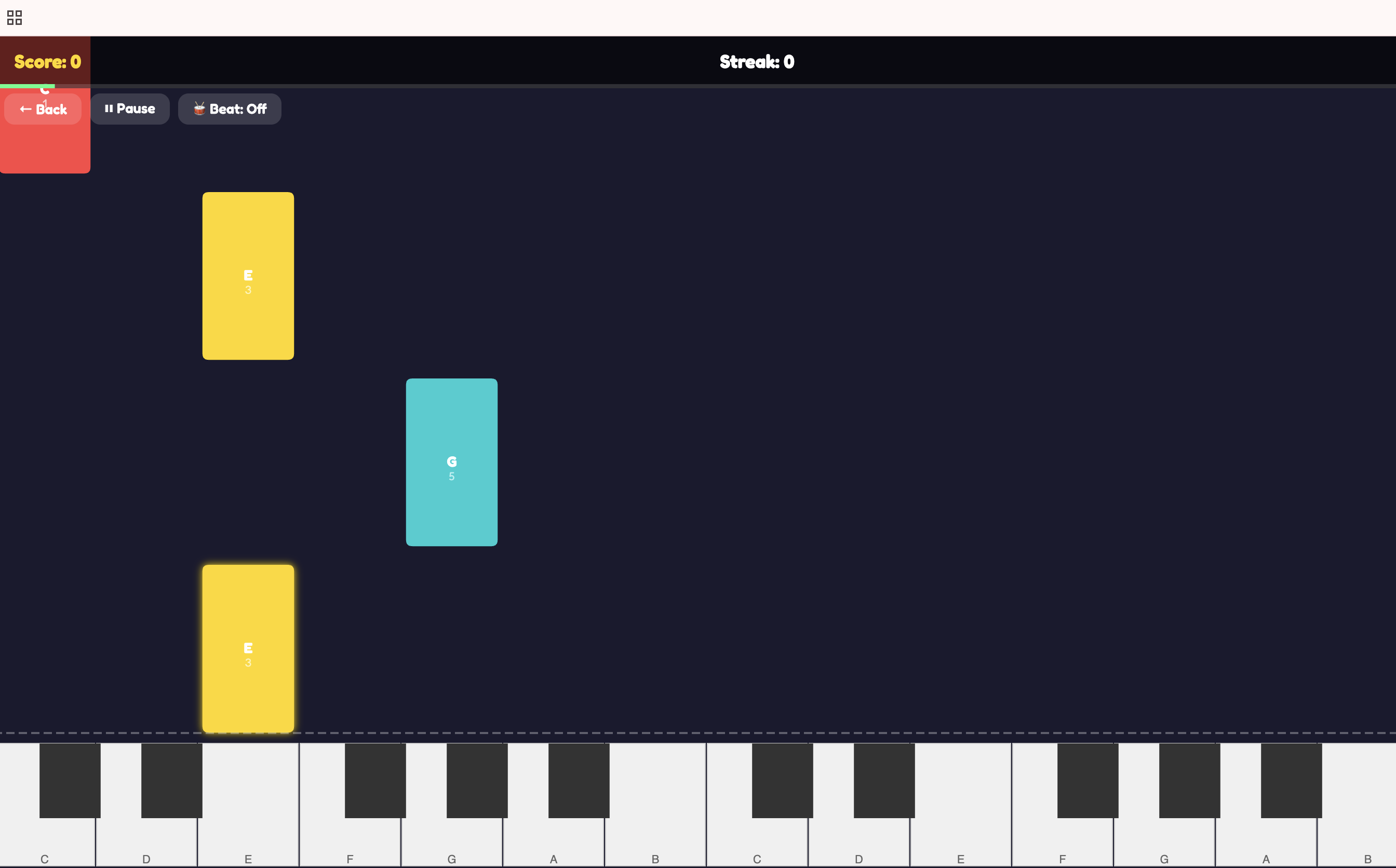 Notes falling down to meet the piano keys – hit them at the right time!
Vanilla Everything
I deliberately chose vanilla JS, HTML, and CSS. No frameworks. No build tools. No npm install. No node_modules black hole consuming your hard drive.
Why? Because I wanted zero friction. The setup is:
- Connect your MIDI piano with a USB cable
- Open Chrome
- Open
index.html
That’s it. That’s the whole stack. Your grandmother could set this up (assuming she has a MIDI piano and a USB cable, which, statistically, some grandmothers do).
Open Source, Because Why Not
A few iterations later – fixing edge cases, polishing the UI, adding more songs – I decided to open-source it under GPL-3.0. If someone else’s kid is learning piano and they want a fun, free, no-nonsense practice tool, here it is.
github.com/victorantos/PianoFun
No accounts. No subscriptions. No “free tier with limited notes.” Just a USB cable and a browser.
The Takeaway
Sometimes the best projects start with someone else’s post and an unreasonable amount of confidence. The whole thing took minutes to get running, and the most valuable feedback came from the person who can barely reach the pedals.
If your kid is learning piano and you have a USB cable lying around – give it a try. And if they have feature requests, listen to them. They’re probably right.